
نُشر: December 10, 2025تم التحديث: August 12, 2026
Audit trails clients actually trust
Clients do not need legalese. They need proof that the right file was approved at the right time.
بقلم Credently Team · Product
When a client asks, "How do I know this was actually approved?" they are rarely asking for a lecture on compliance. They want a record they can open, scan, and trust in under a minute — without calling your project manager or digging through email threads.
That is what a strong approval audit trail is for. It is the chronological evidence of what was sent, who saw it, what they did (or did not do), and how the request closed. Credently builds that record automatically when you run a structured approval workflow. This guide explains what belongs in a trustworthy trail, how documented approval works in practice, and how a client approval certificate helps third parties verify the record — without overpromising what software can decide on its own.
What an approval audit trail is — and what it is for
An approval audit trail is a time-stamped log of events tied to one specific approval request: creation, delivery, first view, client verification, reminders, explicit decisions, revised versions, and final outcome.
Its purpose is operational clarity:
- Everyone agrees on which deliverable was under review
- Everyone agrees on when the review window ran
- Everyone agrees on how the request closed — approved, revision requested, or closed by deadline under your agreed rules
Credently stores this trail alongside the request. Your dashboard shows the full timeline; the client sees a focused approval page; and when the request is closed, a verification certificate summarizes the outcome with a shareable reference and QR link.
This is documented approval — evidence of process and outcome. It is not a substitute for legal advice, and it does not by itself settle contract disputes. Whether a record satisfies your agreement or local rules is for you and your counsel to assess. Credently documents the workflow; it does not render legal conclusions. For more on that distinction, see our FAQ.
Why clients trust some records and ignore others
Finance, procurement, and in-house legal teams have seen too many screenshots that cannot be verified. A trail earns trust when it is complete, consistent, and easy to check.
Complete
A useful trail answers the questions stakeholders actually ask:
- Was the client notified, and when?
- Did they open the approval page?
- What could they see — title, scope, file links, deadline?
- Did they verify their email before acting?
- What decision did they record, or what happened when the deadline passed?
Gaps create doubt. "We think they approved" is not the same as a logged event.
Consistent
The same story should appear in your dashboard, on the client page, and on the certificate. Reference codes, timestamps, and status labels should match. When they do, verification takes seconds instead of a meeting.
Easy to verify
Third parties should not need your login. A reference code, a public verification URL, and a QR code on the certificate let someone confirm that Credently holds the record you are showing them — without trusting a PDF you emailed from your laptop.
If you are still collecting thumbs-ups in chat, read Stop chasing OK in WhatsApp for why informal messages fail this test.
The event timeline: from notice to outcome
Think of every approval as a short story with a fixed cast: you (the sender), the client, the deliverable, the deadline, and the closing event. Credently logs that story as discrete audit events.
1. Request created and sent
When you send an approval request, Credently records that the request was created. The client receives a link to a dedicated approval page — not a buried attachment. The page shows the request title, scope description, linked files, countdown to the deadline, and the actions available to the client.
Each request also gets a short reference code (for example, a code like XZ2NMW) you can share with support, finance, or procurement. Tracked share links via `/go/{code}` resolve to the same approval page and log additional visits.
2. Client opens the approval page
The first time the approval page loads, Credently logs a first view event with a timestamp. Later visits may be logged separately, which helps show continued access without pretending every refresh is a new "approval."
If your plan includes view notifications, the sender may receive an email when the client first opens the page — useful proof that the link was reachable, not proof of consent by itself.
3. Notice and deadline
The approval page displays the review deadline prominently. If your contract includes tacit consent (silence equals acceptance), the client sees that staying silent before the deadline will result in automatic approval. That notice matters: it connects the later outcome to what the client was told at the time of review.
For a deeper explanation of silence-based deadlines, see What is tacit consent in client approvals?.
4. Email verification before action
Before a client can approve or request revision, Credently requires control of the email on the request to be verified via a magic link, unless the client is already signed in with a matching Credently account. When magic-link verification completes, a client verified event is added to the trail.
This step strengthens documented approval by tying actions to the inbox you specified when creating the request — not to whoever happened to have the link.
5. Client action — what is available today
On the current client approval page, recipients choose among structured actions:
- Approve — explicit acceptance (with e-signature when you require it)
- Request revision — pauses the clock and sends your team written feedback
There is no separate "reject" button. If the client disagrees with the deliverable, the practical path is to request revision with a clear note. If they stay silent, Credently records auto-approval when the timer expires; you should rely on that outcome only where your pre-agreed terms make tacit consent applicable.
Always align your contract language with the workflow you actually run. Our sample clause template is a starting point; have your lawyer adapt it before live use.
6. Decision and outcome
When the client approves, Credently logs an approved event with timestamp and request metadata. When they request revision, a revision requested event captures their note and changes the status so you can send an updated version.
If the deadline passes while the request is still pending, Credently records auto-approved (when your workflow treats silence as acceptance). Reminder emails, renewed sends, and updated versions (logged as v2 sent) appear in the trail as separate events so later readers can see the full history, not just the last status.
Version and context clarity
Disputes often hinge on version confusion: "We approved v2, not v3." A trustworthy trail reduces that risk.
Tie each round to one request record. When you send a revised deliverable after feedback, use the revision workflow so the trail shows a new send event, a fresh deadline, and the files linked for that round. The dashboard retains prior events — first view, revision note, earlier decisions — so the narrative stays linear.
Make scope explicit on the page. Use the description field for what is in scope, what changed since the last round, and what the client is being asked to accept. File links (Figma, Drive, Loom, uploaded PDFs) should match the version you discuss in writing.
Do not swap files silently. Credently stores the approval record and linked URLs; it does not mirror your entire cloud drive. Optional Google Drive activity sync can add metadata for linked files, but your process should still treat the approval page as the canonical "what we asked them to review."
Certificates, reference codes, and QR verification
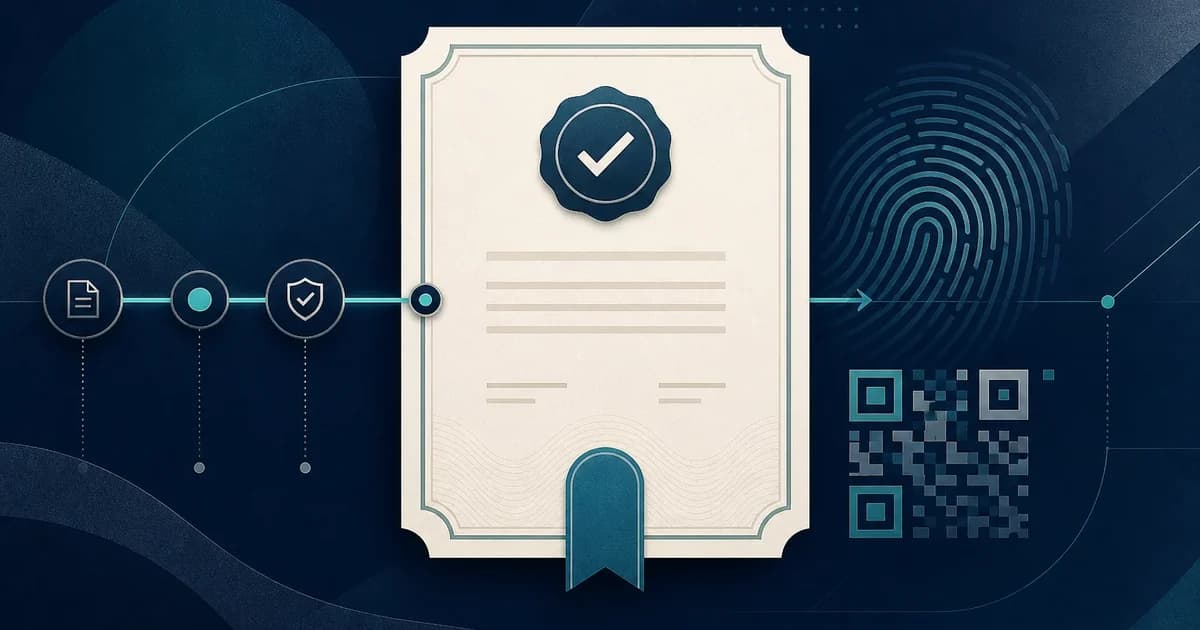
When a request closes, Credently generates a client approval certificate — a verification page (and optional PDF on eligible plans) that summarizes the outcome.
Typical certificate contents include:
- Reference code for support and cross-team lookup
- Request metadata: title, client name, client email
- Sent and deadline timestamps
- Final status (approved, revision requested, auto-approved, and legacy statuses where applicable)
- A chronological audit trail section listing key events
- A QR code linking to the live verification page so third parties can confirm the record on Credently
Event rows on the certificate may include timestamps, IP address, and browser user-agent strings where captured. Those details support verification — they show how and when an action was logged. They are not displayed as a guarantee of identity in every jurisdiction, and they should be read as operational evidence, not as a court ruling.
Important framing:
- The certificate helps stakeholders verify that a specific approval record exists and what it contains
- Scanning the QR code or opening the verification URL confirms you are viewing Credently's record, not an edited export
- Credently does not claim that certificates settle disputes or guarantee legal enforceability. They document what happened in the product workflow
PDF download of the certificate audit trail is available on Freelancer and higher plans; the web certificate remains verifiable regardless.
Operational evidence vs legal conclusion
Teams often conflate "we have a certificate" with "we will win any argument." Those are different statements.
Operational evidence answers: What did we send? When? What did the client see? What action or deadline outcome was logged? Can a third party verify the record independently?
Legal conclusion answers: Does this record satisfy our contract? Is tacit consent valid here? What remedies apply?
Credently is built for the first category. It gives you a defensible, structured approval audit trail and a documented approval artifact you can attach to invoices, project folders, and procurement packets. Whether that artifact meets your legal standard depends on your clause, jurisdiction, and facts — which is why we recommend legal review of your master agreement, starting from our sample clause if helpful.
What each stakeholder needs
Project and account leads need a single link, a clear deadline, and a status that does not require interpreting chat tone.
Finance and billing need proof that billable scope was accepted before invoice — attach the certificate PDF or verification link to the invoice record.
Procurement and vendor management need a reference code, verifiable URL, and an event list they can spot-check without vendor credentials.
Clients need plain language, visible deadlines, and buttons that match their real choices: approve, request revision, or let the deadline apply under agreed rules.
Your future self needs a trail that still makes sense six months later when the Slack channel is archived and the account manager has changed.
Step-by-step: set up a trail clients will trust
- Add tacit consent or explicit approval language to your contract before you rely on deadlines in production. Use the sample clause as a draft, then have counsel adapt it.
- Create one approval request per decision point — do not bundle unrelated deliverables unless they truly ship together.
- Write a clear title and description stating version, scope, and what "approve" means for this send.
- Attach the correct file links for this round. If you replaced files, send a revision round so the trail shows v2 sent rather than overwriting context in email.
- Set a realistic deadline using the available 24-hour, 72-hour, or one-week window and make the exact expiry clear to the client.
- Send the structured approval link — from Credently email or your tracked `/go/{reference}` link — instead of a loose attachment thread.
- Let the client verify email if prompted; do not ask them to bypass verification "to save time."
- After close, download or link the certificate from the request dashboard and store it where finance and procurement can find it.
- Share verification, not screenshots. Give stakeholders the reference code or certificate URL so they can confirm the record on Credently.
Ready to run your first structured request? Create an account and send a test approval to yourself to walk through the timeline end to end.
Scenario: agency creative sign-off with procurement review
A brand agency completes Q3 social campaign assets for a retail client. The client marketing lead must approve; corporate procurement must retain verification for vendor payment.
The agency creates a Credently request titled "Q3 Social Campaign — Final Assets v1." The description lists twelve static posts and three short videos, links to the Figma board and Loom walkthrough, and states that approval covers production handoff to media buying. The request uses a one-week review window with tacit consent under the MSA.
Day 1: procurement receives a copy of the approval link for visibility. Credently logs sent. Day 2: the marketing lead opens the page — viewed. They verify email — client verified. They request revision on two captions — revision requested with the note captured in the trail.
The agency uploads v2, sends through the revision workflow — v2 sent with a new deadline. Day 4: the lead approves — approved. The agency downloads the certificate PDF, attaches it to the invoice in their ERP, and emails procurement the reference code. Procurement scans the QR code, confirms the status and timestamps on Credently, and releases payment — not because the certificate "won" a legal argument, but because the documented trail matches the PO and the vendor record.
If the lead had stayed silent, the trail would show auto-approved at deadline instead — again, only as strong as the underlying contract allows.
Review checklist before you call a deliverable "approved"
Use this before invoicing or publishing:
- Request title and description match the deliverable you are shipping
- File links on the approval page are the final versions for this round
- Client email on the request matches the contractual approver (or your documented delegation)
- First view and any decision events exist, or deadline outcome is logged
- If revision was requested, v2 (or later) send is in the trail before final approval
- Certificate status matches your dashboard
- Reference code and verification URL are stored in the project folder
- Contract clause covers tacit consent if you relied on silence
- Stakeholders received verification access, not only a Slack "looks good"
Retention, sharing, and access
Where to store certificates: project drive, ERP attachment, PM tool, or client portal — wherever your team already looks during audits.
What to share externally: the verification URL, reference code, or PDF export. Prefer links that resolve to Credently over unverifiable screenshots.
Account changes: certificates already issued remain verifiable via their reference codes and public verification URLs; export important PDFs before closing an account. See FAQ for retention details.
Internal access: your dashboard audit trail is the authoritative full log; the certificate is the stakeholder-friendly summary.
Common mistakes that weaken trust
Approving in email after sending a structured request. You now have two stories. Pick one channel per round.
Changing files without a new send event. Always push revisions through the workflow so the trail shows what changed.
Hiding the deadline rule. Clients who did not know silence counts as acceptance will reasonably challenge auto-approval.
Skipping email verification. Verification exists to bind actions to the intended recipient.
Treating the certificate as a lawyer. It documents workflow; it does not replace counsel on enforceability.
Using informal chat for "final final" approval. See Stop chasing OK in WhatsApp.
Assuming every technical field appears everywhere. IP and user-agent may appear on audit events in the certificate view; not every export includes every metadata field. When in doubt, use the live verification page linked by QR.
Conclusion
Clients trust approval audit trails that are complete, consistent, and independently verifiable. Credently produces that trail by default: notice and deadline on the client page, email verification before action, structured decisions (approve or request revision), deadline outcomes including tacit-consent-style auto-approval where configured, and a client approval certificate with reference code and QR verification.
Use it to create documented approval your finance and procurement partners can check in seconds — and pair it with sound contract language and legal review for the conclusions you draw from that evidence.
Start documenting approvals, review pricing for PDF certificates and reminders, and keep your clause aligned in Resources.
جرّب Credently في موافقتك القادمة
أرسل طلبًا منظمًا وحدّد موعدًا للموافقة الضمنية وسلّم شهادة يمكن لعميلك التحقق منها.